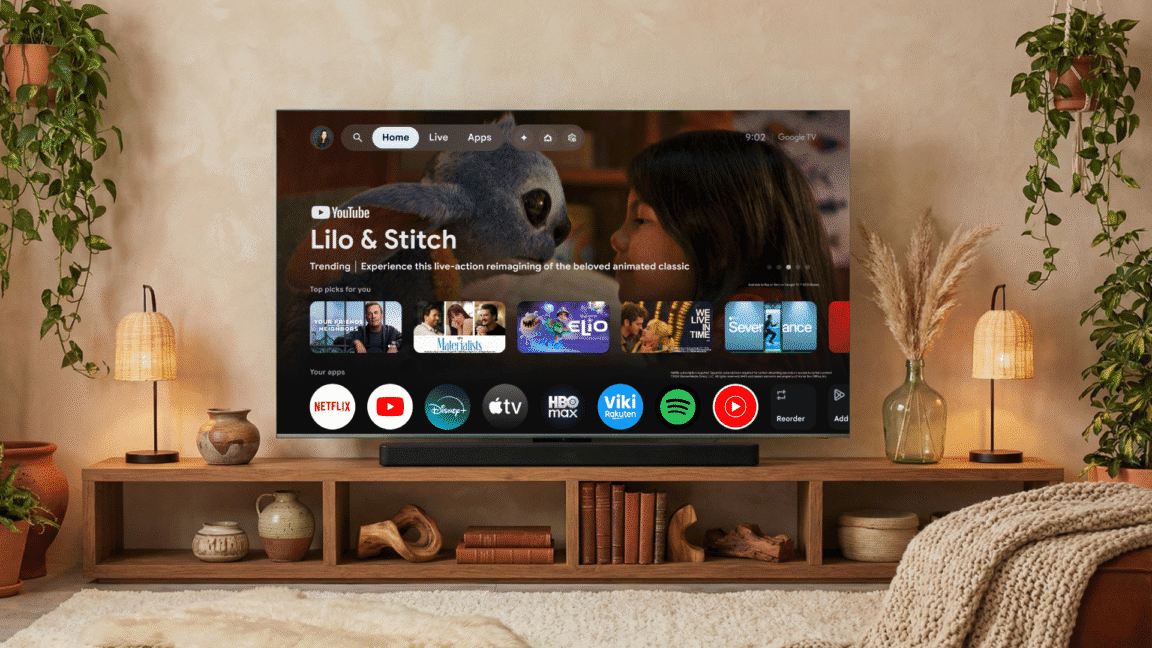
Google TV is getting a lot more opinionated about what’s on your screen.
At CES, Google announced a major Gemini expansion for Google TV, turning your television into a canvas for AI‑generated images and video, plus a more capable voice assistant that can even tweak system settings for you.
Gemini comes to the big screen
The update brings several of Google’s headline AI models directly to TVs running Google TV:
- Gemini for chatbot-style interactions
- Nano Banana for image generation and editing
- Veo for AI video generation and effects
Google first tied Gemini into its TV Streamer box in fall 2025, but this is the first time the full stack of visual models shows up directly on smart TVs.
The rollout starts with TCL TVs that ship with Google TV, with other devices following later. Even Google’s own TV Streamer will have to wait “a few months,” according to the announcement.
There’s a hard requirement, though: the new Gemini features need the full Google TV experience with Android OS 14 or higher. So not every TV or streaming box with some flavor of Google TV will qualify.
Generate images and videos on your TV
The big party trick is obvious: you can now generate and manipulate AI content on the biggest screen in your house.
Gemini ties into Google Photos (if you grant permission), and then uses your own images as raw material:
- Ask Gemini to build an on‑the‑spot slideshow from selected photos.
- Use Nano Banana to remix a photo.
- Feed a still image into Veo and have it turned into a video.
You can also skip personal photos entirely and just prompt Gemini to generate a brand-new image or video from scratch.
Google is pitching this as a fun side activity rather than the core TV experience. But running these tools on a big, bright TV makes experimenting with AI visuals a lot more interesting than hunched over a phone.
A TV-friendly chatbot experience
Gemini on Google TV isn’t just a mirrored version of the web chatbot. Google says it built a “visually rich framework” for TV use so responses feel more like an interactive dashboard than a wall of text.
You’ll be able to:
- Ask for sports scores or quick updates.
- Get recommendations for what to watch.
- Dig into topics with a “Dive Deeper” option that turns a reply into an interactive overview.
It’s still Gemini under the hood, but the interface is tuned for a living‑room, remote‑in‑hand context.
Voice control that actually does something
The most practical part of this update might be what Gemini can do behind the scenes.
Instead of hunting through settings menus, you can complain in natural language and let the AI take action. Google’s example:
Say “the dialog is too quiet,” and Gemini will adjust audio settings to address it.
That suggests a much broader future where you describe what’s wrong — too dark, too loud, colors off — and the TV quietly fixes itself.
Who gets it first
Here’s how availability breaks down based on Google’s announcement:
- First: TCL smart TVs that run the full Google TV experience.
- Later: Other Google TV devices, including Google’s own TV Streamer, after a delay of a few months.
- Not everyone: Devices need Android 14+ and the full Google TV stack, so older or cut‑down implementations are out of luck.
The living room is now an AI surface
The update is another sign that TV makers and platform owners see the living room as prime territory for AI experiments. Google’s using Gemini to blur the line between traditional TV use — watching shows, browsing apps — and conversational computing.
For now, that means AI‑generated slideshows, quick videos from stills, and a chatbot that can massage your settings without you opening a menu. But once Gemini is sitting on the home screen of millions of TVs, it’s easy to see how “what should I watch tonight?” becomes just one of many questions you ask the screen.


